Enterprise learning, without the drag
Everyone is still .
VektaLearn turns your policies, procedures and know-how into short courses people actually finish, with hands-on simulations, real assessments and certificates anyone can verify.
- Your files, in your own storage
- Certificates with a public check
- Works on slow connections
Made for organisations where training isn't optional
- Banking & finance
- Healthcare
- Public sector
- NGOs & development
- Manufacturing
- Education
How it works
From a document on a shared drive to proof that people know it.
Create
Build it from lessons, videos, documents, simulations and quizzes, or import your SCORM packages. Or hand Vekta AI your policy and refine the draft it writes.
Assign
Send it to everyone, a department, a team or a list of people, with an opening date, a due date and reminders that follow up for you.
Prove
See who finished, who's late and how they scored. Certificates carry a QR code anyone can check, so audits take minutes, not weeks.
Take a look
The real thing, not a mock-up.
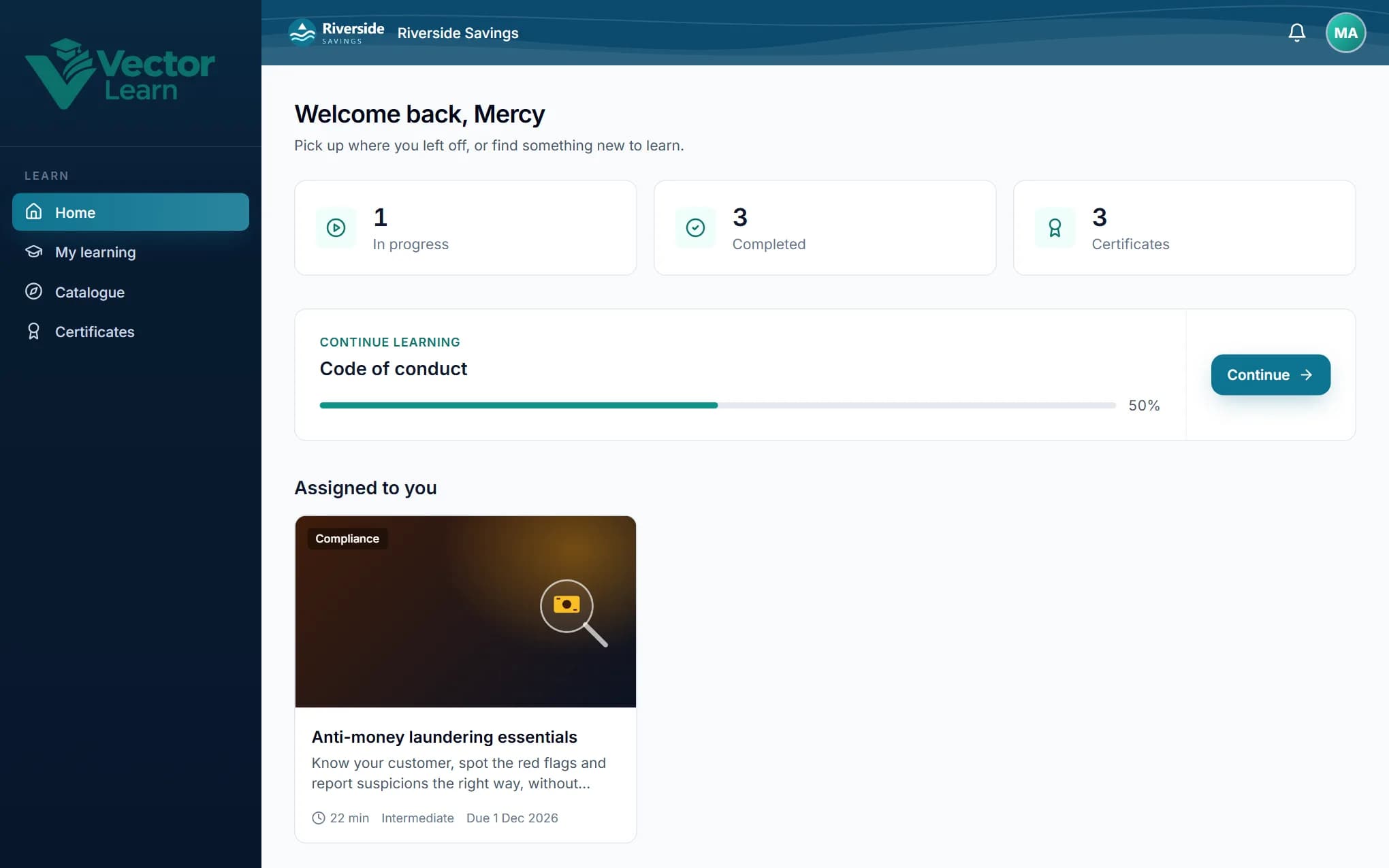
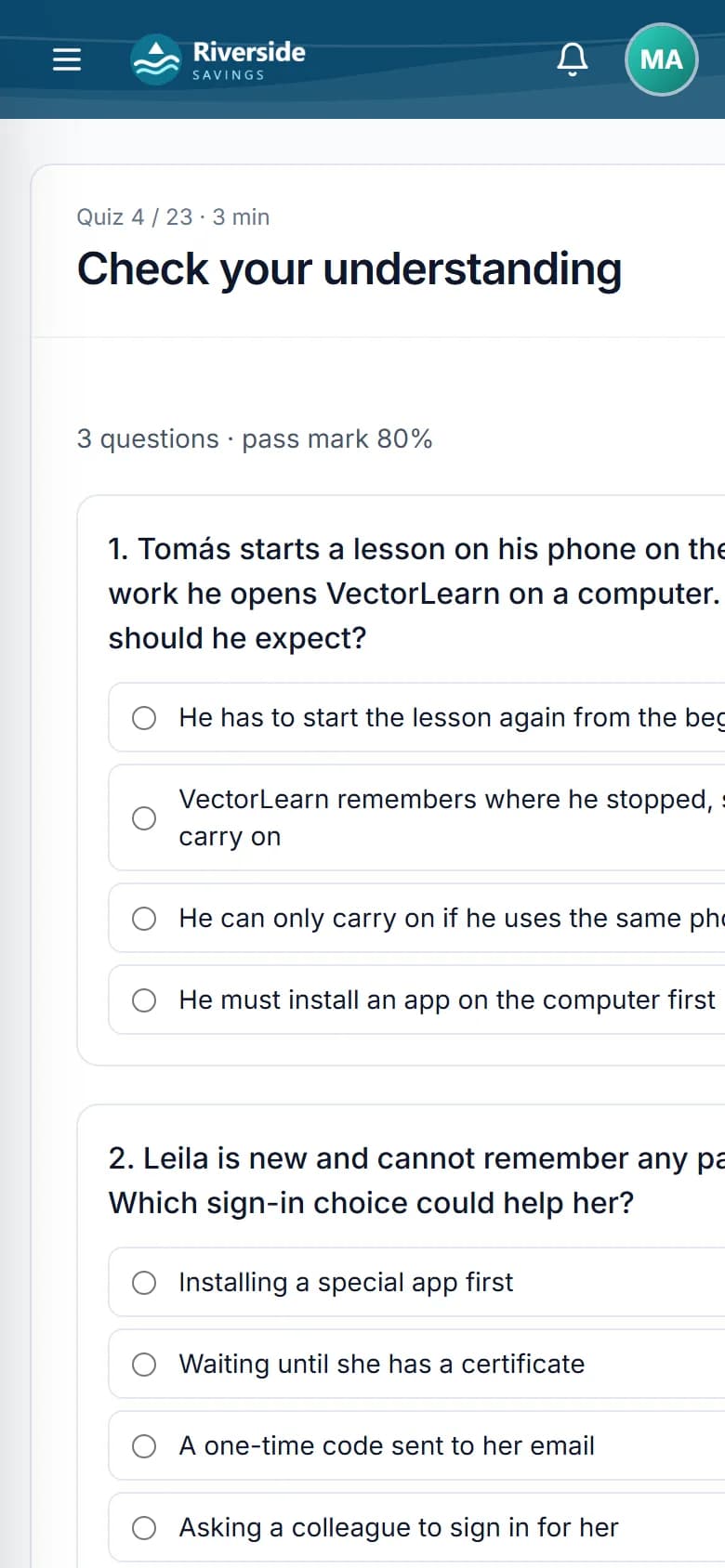
These are VektaLearn's own screens, from a demo organisation with two months of training in it.
Everything due, in one place, with the organisation's own logo and colours.
Lessons that stick
Learning by doing, not by scrolling.
Short, hands-on lessons that check understanding as people go, so a certificate means they can actually do it.
Spot the risk
Show a real-looking email, screen or workplace photo. Learners click what's wrong, and it's marked on the server: find enough of the risks to pass, with an explanation for each one.
IT Service Desk
it-support@rnicrosoft-help.co
Action needed: your password expires in 1 hour
To keep access to your mailbox, confirm your password before 09:00 today, or your account will be locked.
Keep my password
Emails, screens or workplace photos
An explanation for every risk
Wrong clicks shown on a heatmap
Questions and choices inside the video
The video pauses for a question and carries on once it's answered, or branches: learners choose what they'd do and see what happens next. No skipping ahead to the end.
Which is safe to open?
An unexpected invoice link
A file your colleague told you about
Subtitles and a searchable transcript
Subtitles in each learner's language, and a transcript under every video: search it, click a line and the video jumps there.
passwordEN · FR · SW
01:52Never reuse a work password anywhere else.
02:14IT will never ask for your password by email.
02:31Use a password manager to keep them safe.
See where people go wrong
Every wrong click in a simulation or Spot the risk is mapped, so you can see which step confuses people, and fix the lesson or the system.
Bring the courses you already own
Import SCORM, cmi5 and xAPI packages from your authoring tool or your old LMS. They play inside VektaLearn, sealed off from everything else, with completion, scores and progress saved.
Certificates
Certificates people frame, and auditors trust.
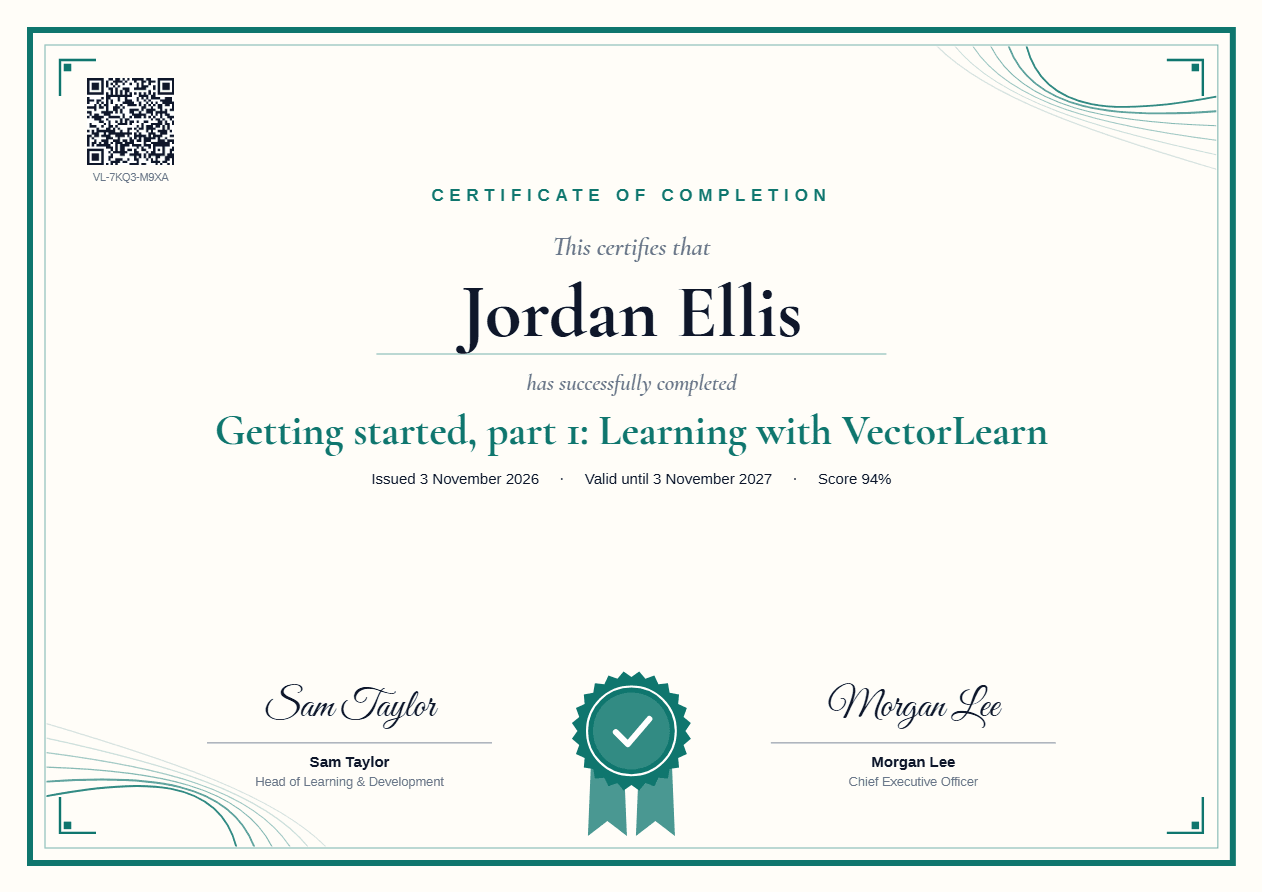
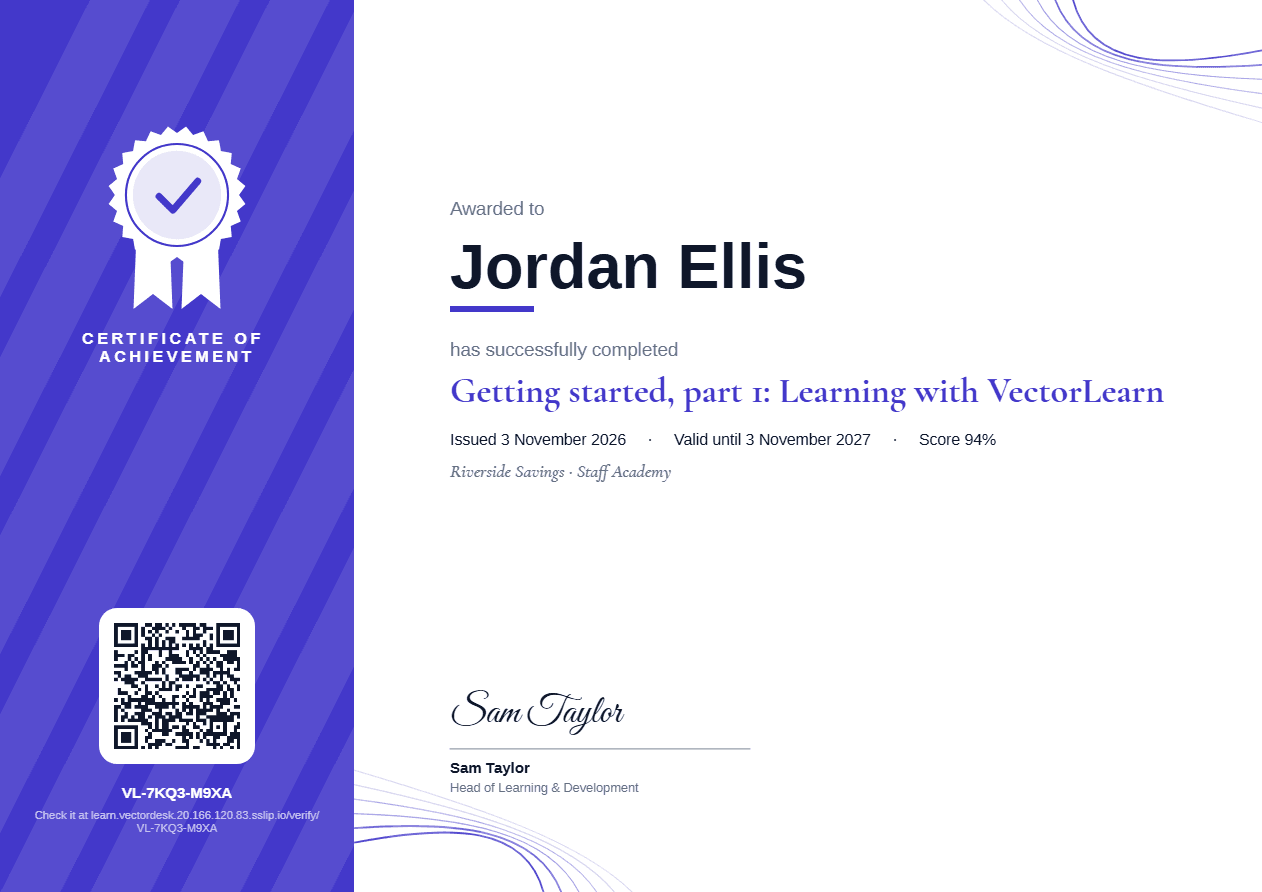
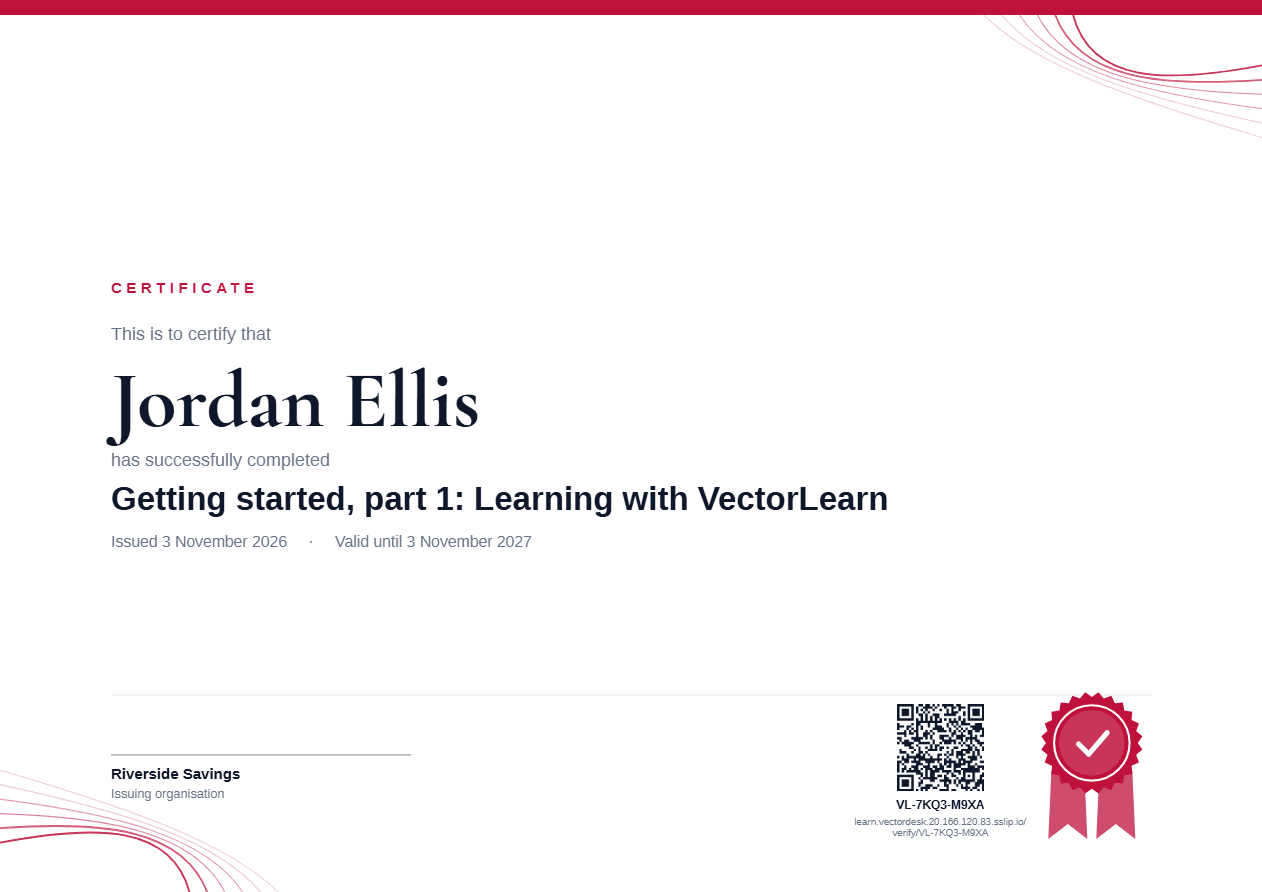
Three designs in your logo and colour, signed by up to two people with their own signatures. Change the design and every certificate follows, even ones already issued.
- A QR code and a public check page: anyone can confirm it's genuine, no login needed
- An Open Badge too, for LinkedIn and badge wallets
- Expiry dates: the course reopens before it runs out, and people are reminded
- An audit pack PDF of who completed what, when, and with what score
Ready on day one
Add ready-made courses from the library in one click. They're copied into your own storage for you to adapt. Start with Getting started: part 1 shows everyone how to learn, part 2 teaches your admins to run it, and unlocks once part 1 is done.
It reaches people where they work
Nobody has to remember to log in. VektaLearn follows up for you, and keeps what they learned fresh.
- Reminders in Teams and by email, before and after the due date
- Boosters: a few quick questions weeks later, so it sticks
- Team challenges: departments race to finish first
- Any phone or laptop, with light video for slow data
- English, French and Spanish, per person
- Written answers, marked by your trainers or Vekta AI
The platform
Everything a serious training programme needs. Nothing it doesn't.
Practise the real thing, safely
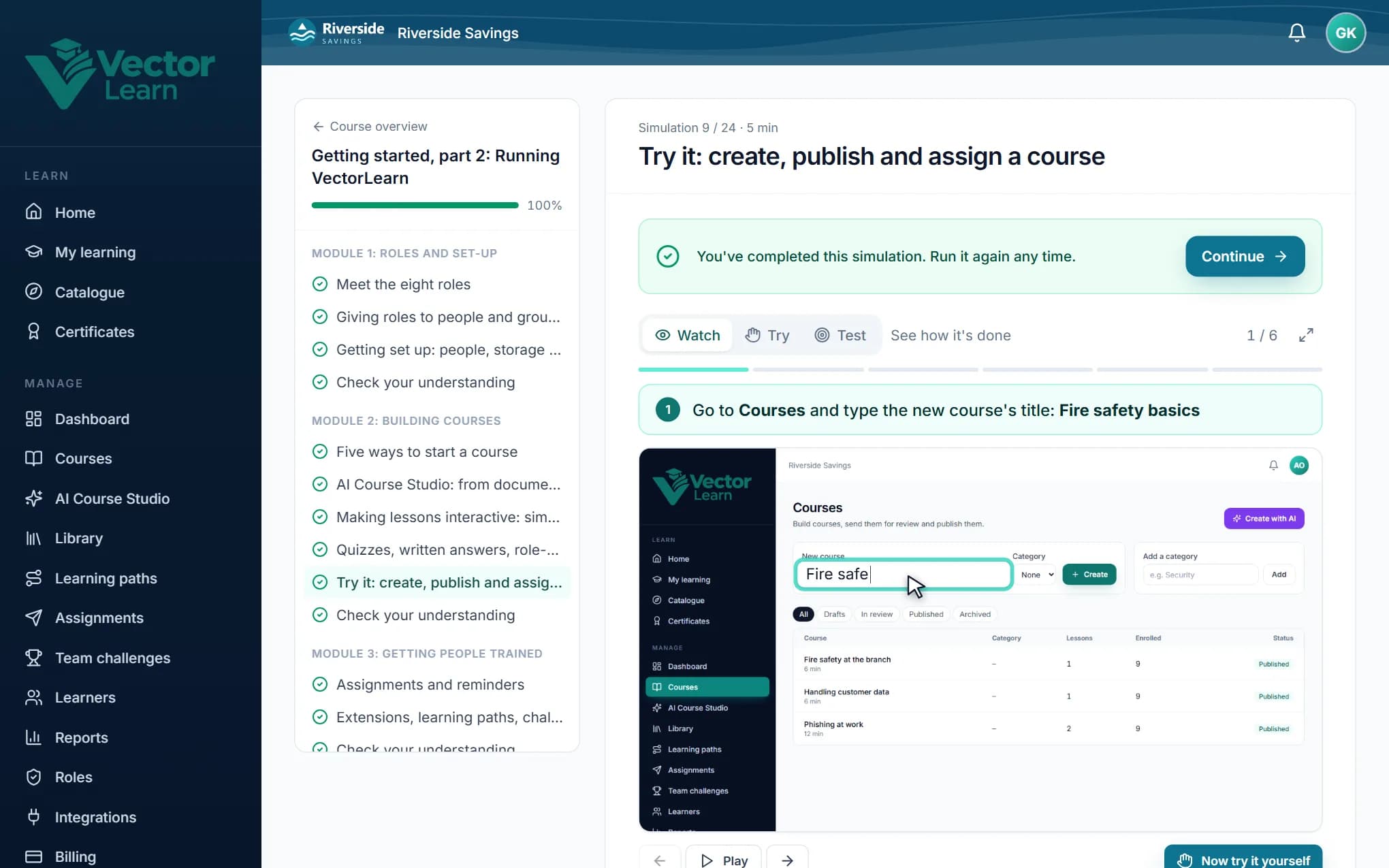
Interactive simulations of your own systems: record your screen while you do the task, or use screenshots. Learners watch it done, try it with hints, then pass a test marked on the server, so it can't be gamed.
Watch
An animated guide clicks and types for you
Try
Hints after a miss, “Show me” when stuck
Test
One go per step, scored for the certificate
Assessments that mean something
Single and multiple answer, true or false. Question banks so everyone gets a different set, pass marks, limited attempts and explanations after each answer.
Certificates anyone can check
A PDF with a QR code and a public check page. Set expiry dates for recertification, and revoke one if it was issued in error.
Protected documents and video
View-only, watermarked with each learner's name. Videos count real watching time, and a light or audio-only version saves data on slow connections.
Learning paths
Onboarding or a yearly compliance programme as one journey, in order, with one certificate at the end.
Managers see their people
Who's done, who's late, extensions and exemptions with a reason, kept on record.
Roles, review and an audit trail
Authors write, reviewers approve: whoever creates a course can't publish it alone. Give roles to people or whole departments, for a set time, and view VektaLearn as any role. Every change is logged.
It looks like you
Your logo, colours, top bar and background, so learners feel at home from the first click. In English, French and Spanish.
Sign in their way
Microsoft, Google, your company's single sign-on, or a code sent by email. Staff, contractors and partners alike.
Vekta AI
Your policy PDF in. A finished course draft out.
Upload a policy, procedure, handbook or slide deck. Vekta AI plans the modules, writes the lessons in plain language for your audience, and adds checks and a final assessment.
- Teaches only what your document says, never invents policy
- You review every lesson and answer before anything exists
- Word, PowerPoint and PDF, in English, French or Spanish
Fraud policy.pdf
Refine any part
Tell Vekta AI what to change in one lesson, a module or the whole course. Only that part is rewritten, and one click undoes it.
“Make module 2 more practical, with examples from a bank branch.”
A tutor that knows the course
Learners ask questions as they go. Answers come only from your course, with links to the lessons they came from.
Can I share my password with IT?
No. IT will never ask for it. 1
Explain this
Learners select any sentence they don't follow and get it explained simply, in their own language.
Turn on multi-factor authentication for every account that offers it.
AI Coach: practise the hard conversations
Learners role-play a real situation (an angry customer, a caller asking for a password, a difficult chat with a colleague) with a character Vekta AI plays from your brief. At the end they get feedback on the goals you set, quoting their own words.
This is the third time I'm calling. Where is my order?
I'm sorry, that's frustrating. I'll chase it now and call you back by 3pm with a date.
3 of 4 goals shown · Try next time: check they're happy with the plan
Insights for managers
Vekta AI reads your training numbers and says what needs attention: who's behind, which questions people get wrong, and what to do next. It sees totals only, never names.
A scenario writer
Vekta AI drafts role-plays and written-answer questions from your course's own material, ready for you to check and save.
Vekta AI runs on credits: a monthly allowance with the AI add-on, top-ups whenever you need them, and every credit used shown on your billing page. No surprises.
Your data, your choice
Keep your course files where you want them.
In your own Microsoft 365, Azure, Amazon S3 or Dropbox storage, or hosted by us. You can move them later, and every file is checked before anyone sees it.
With Microsoft 365: the narrowest access Microsoft offers
- VektaLearn creates its own SharePoint site, and can't open any of your other sites
- Learners never need access to SharePoint
- Every file request is checked: enrolled, and inside the access window
Your Microsoft 365
contoso.sharepoint.com/sites/vektalearn
Course media
2026
Anti-money laundering
Customer due diligence.mp4
AML policy 2026.pdf
Customer due diligence
Watermarked for Amina Wanjiku · view only
Audit log
Who changed what, and when
Separation of duties
Creators can't approve their own course
Watermarks
Each learner's name on what they see
Verifiable certificates
A public check, no login needed
Pricing
One price per person. Everything included.
Pay for the people in your organisation, by the year. No separate seats for admins, authors or managers.
100
Per person, per month
USD 4.88
Billed yearly: USD 5,850.00 for 100 people
- Every feature, no tiers to compare
- 29 GB of hosted storage included, or use your own
- The price per person falls as you grow
- 30-day free trial, no card needed
Why we built it
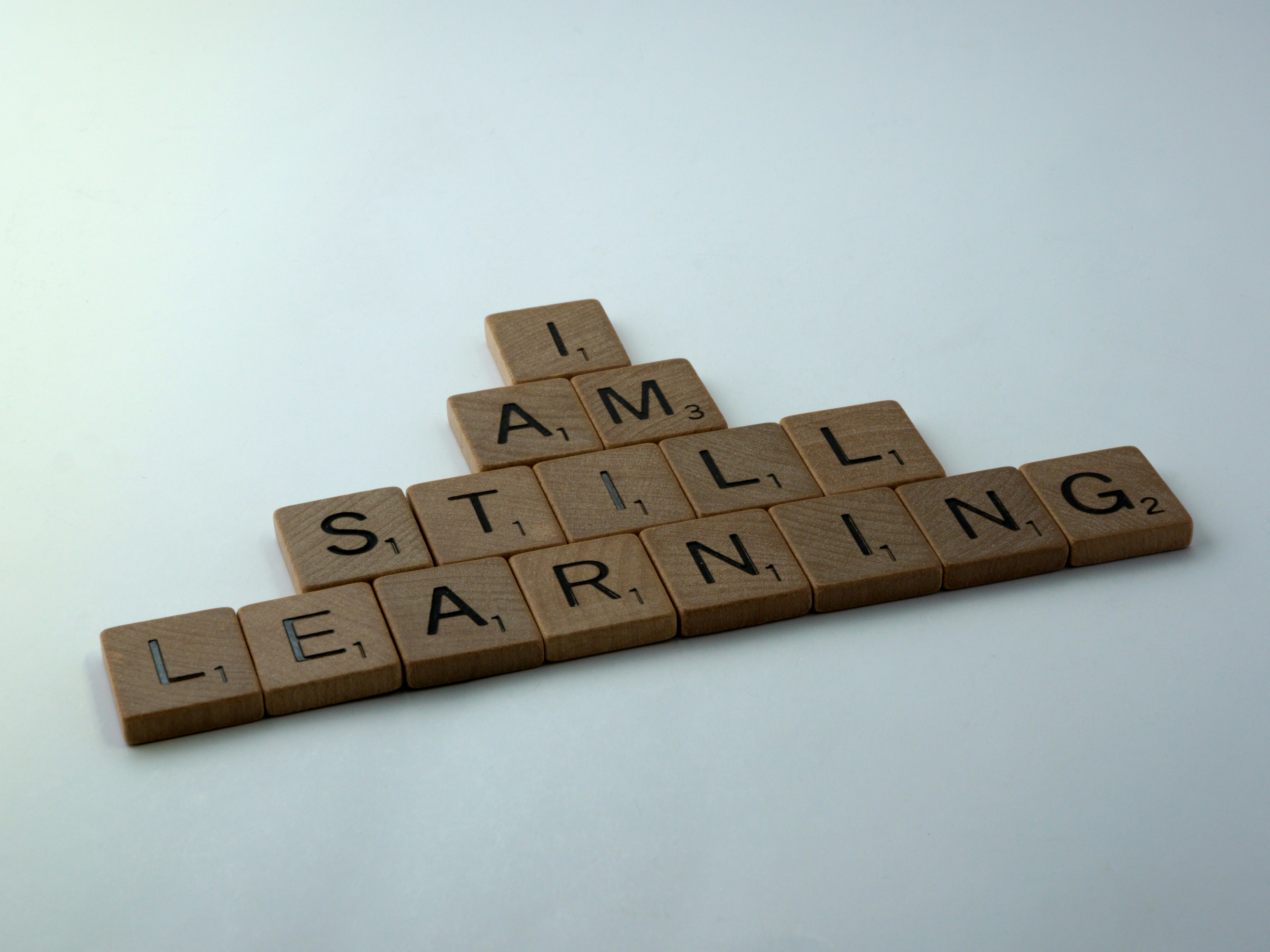
“The best teams aren't the ones who know everything. They're the ones who never stop learning.”
Most training is a slide deck nobody opens and a spreadsheet of names. We built VektaLearn so learning is short, practical and proven, for the cashier, the nurse and the CEO alike.
Questions, answered
Where are our course files kept?+
Your choice: a SharePoint site in your own Microsoft 365, your Azure, Amazon S3 or Dropbox storage, or hosted by us. Learners never need access to the storage itself: VektaLearn shows each file only after checking they're enrolled.
How do learners sign in?+
With Microsoft, Google, your company's single sign-on, or a code sent to their email. Contractors and partners can be invited too.
Can we bring our existing courses?+
Yes. Import SCORM 1.2 and 2004, cmi5 and xAPI packages, or upload your PDFs, Word documents, slides and videos. Vekta AI can also turn a document into a draft course.
Does it work on phones and slow connections?+
Yes. Every page works on a phone or tablet in the browser, with nothing to install. Videos have a light and an audio-only version for slow or costly data.
What does Vekta AI do with our documents?+
It reads the document to write a draft course for your team to review. Your documents aren't used to train AI models, and nothing reaches learners until someone in your organisation publishes it.
How is Vekta AI charged?+
In credits. The AI add-on includes a monthly allowance, you can buy top-ups any time, and your billing page shows every credit used, by feature.
Can we use our own branding?+
Yes: your logo, colours, top bar style and background image.
Can we try it first?+
Yes: start a 30-day free trial with everything included, no card needed. Or book a demo and we'll set it up with your own content.
See VektaLearn on your training.
Bring one policy or procedure. In thirty minutes we'll turn it into a course, assign it, and show you the proof at the end.
 Part of every serious onboarding.